Choose the update the customer needs
A receiving desk asking for routine status does not need the same message as a shipper deciding whether to move an appointment. LoadSignal offers a tracking link, scheduled location emails, and reviewed message drafts. Each has a different purpose and a different sending control.
Swipe or scroll sideways to compare all columns.
| Update | What it provides | Who controls it |
|---|---|---|
| Customer tracking link | A shipment page the recipient can open without an account | Dispatch shares the link |
| Scheduled status email | Status, location freshness, an ETA when available, and a tracking link | A person enables the schedule; dispatch-time auto-start is opt-in |
| AI-drafted message | A proposed explanation or delay update | A person reviews and approves sending |
A tracking page for the shipment
The customer-facing link shows shipment progress without asking the recipient to sign into LoadSignal. Driver identity is not shown. Position display is gated by active tracking, so the page does not present a truck location as live after tracking has ended.
The link gives access to the shipment page to whoever holds it. Share it with the intended recipients. It is separate from the driver link used to collect location.
Scheduled emails start with your settings
On a load, select recipients and an interval, then enable scheduled updates. Schedules support up to ten recipients and intervals from 15 minutes to a day. Delivery, completion, or cancellation stops the schedule.
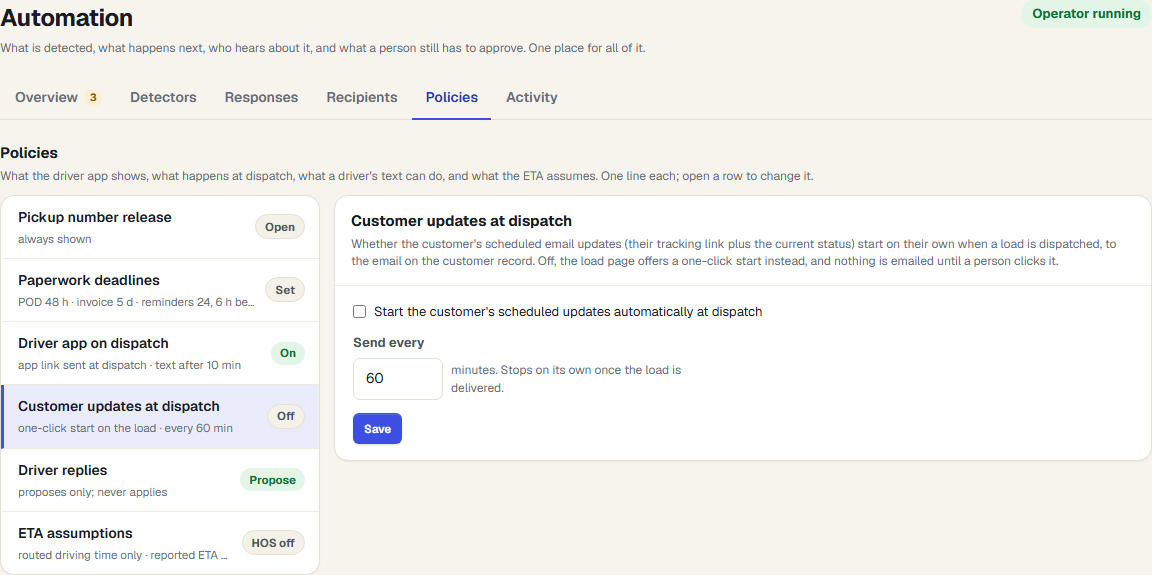
You can also opt into starting customer updates when a load is dispatched. That organization setting is off by default. Confirm the recipients and timing before turning it on across your workflow.
The email includes status and tracking freshness rather than raw latitude and longitude. A stale or missing feed still needs operational follow-up. Sending an email on schedule cannot make its underlying position more recent.
AI drafts wait for approval
Pilot AI can prepare a customer delay update for review. Customer-facing Track & Trace Operator actions also queue for approval. Your dispatcher checks the facts, edits the wording when needed, and approves the send.

That review matters when the customer needs a commitment: a revised ETA, a new appointment, or an explanation of what happened. An ETA is a planning estimate, not a guarantee, and an unconfirmed driver situation should stay unconfirmed in the message.
Set expectations during early access
We will walk through the recipients, schedules, and approval flow with your team. Messaging depends on configured delivery providers; the examples here describe the product workflow, not a customer delivery record.
For the signal behind a delay update, see late-load detection. For the internal response before contacting the customer, see exception management.